Svoboda Digital
Setup Guide

Install the app and add your personal access link

This page collects the client downloads, the Telegram bot entrypoint, and the exact import flow for the current Svoboda setup. We do not collect or store personal data; the only identifier used for access issuance is your Telegram ID.

Windows

v2rayN

Direct download from the Svoboda host for desktop setup.

Download
Android

v2rayNG

Direct APK download for manual installation.

Download
iOS / macOS

V2Box

Recommended App Store client for Apple devices.

Open App Store
Quick Start

How to get access

  1. Install the app for your device.
  2. Open svoboda digital bot and get your personal access link.
  3. Import the access link into the app and tap Connect.
Detailed Guide

Step by step: connect V2Box

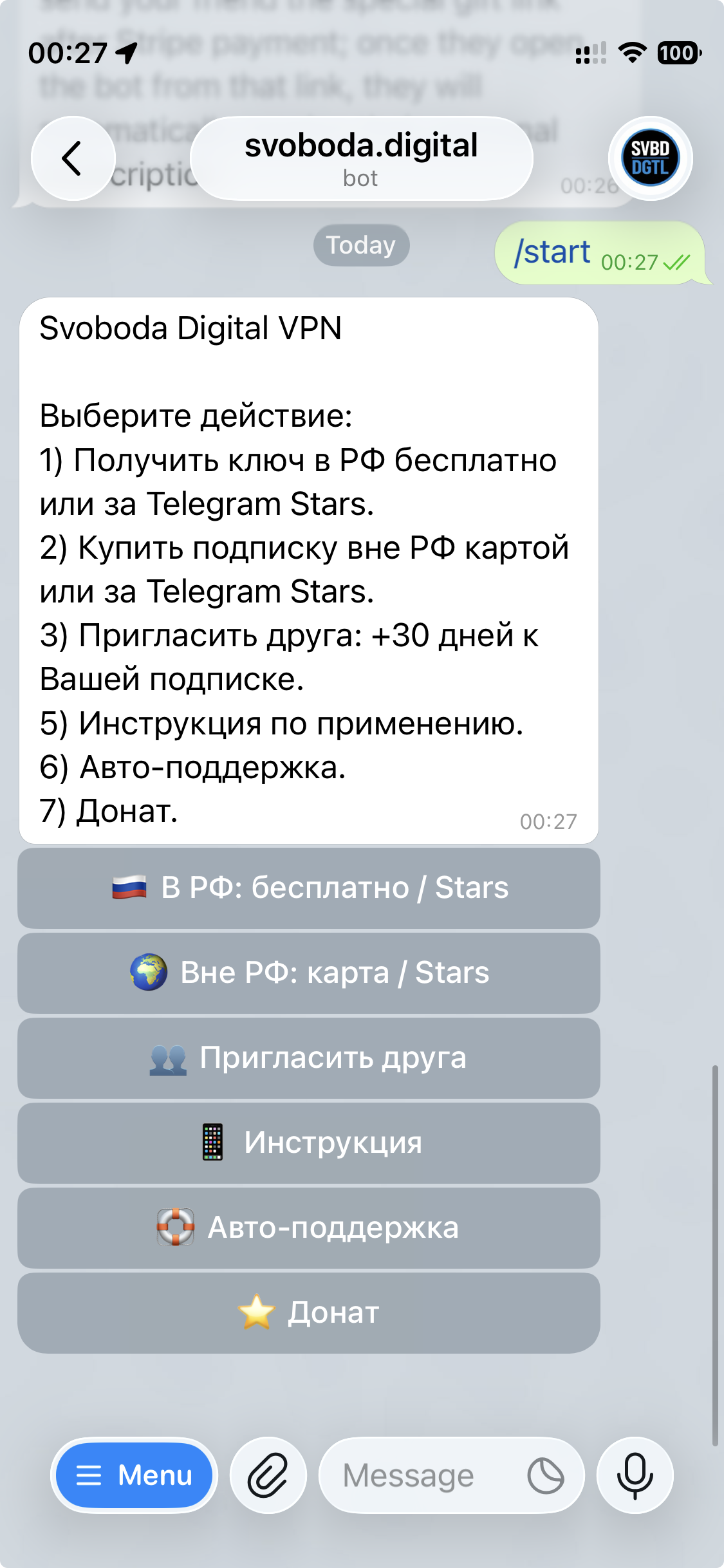
  1. Open @svoboda_digital_bot and choose the access path that matches your situation.
  2. Copy your personal subscription link.
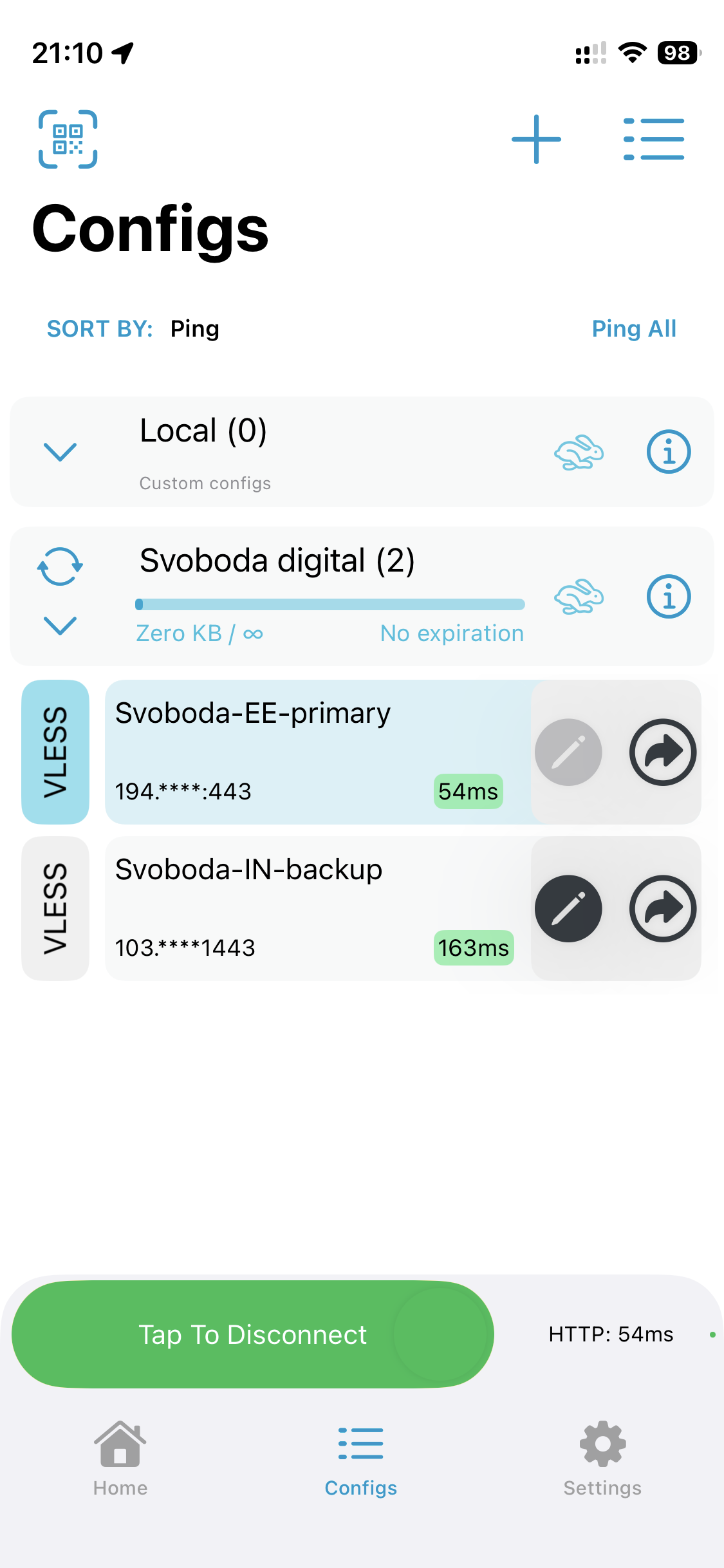
  3. Open V2Box: Configs → + → Add Subscription, paste the link, and save it. You should see the Svoboda-EE and Svoboda-IN nodes in the list.
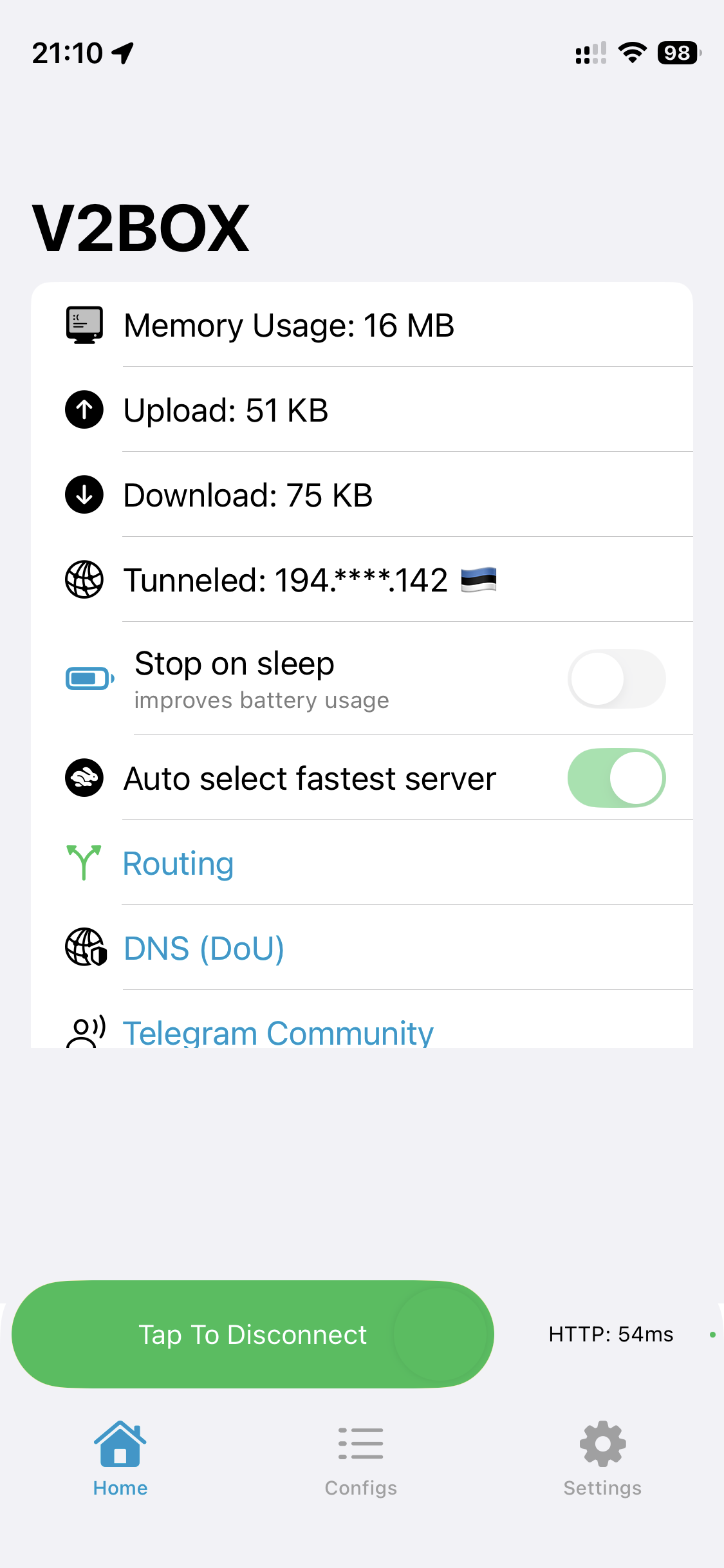
  4. On the Home tab, enable Auto select fastest server, then start the connection with Tap To Connect.
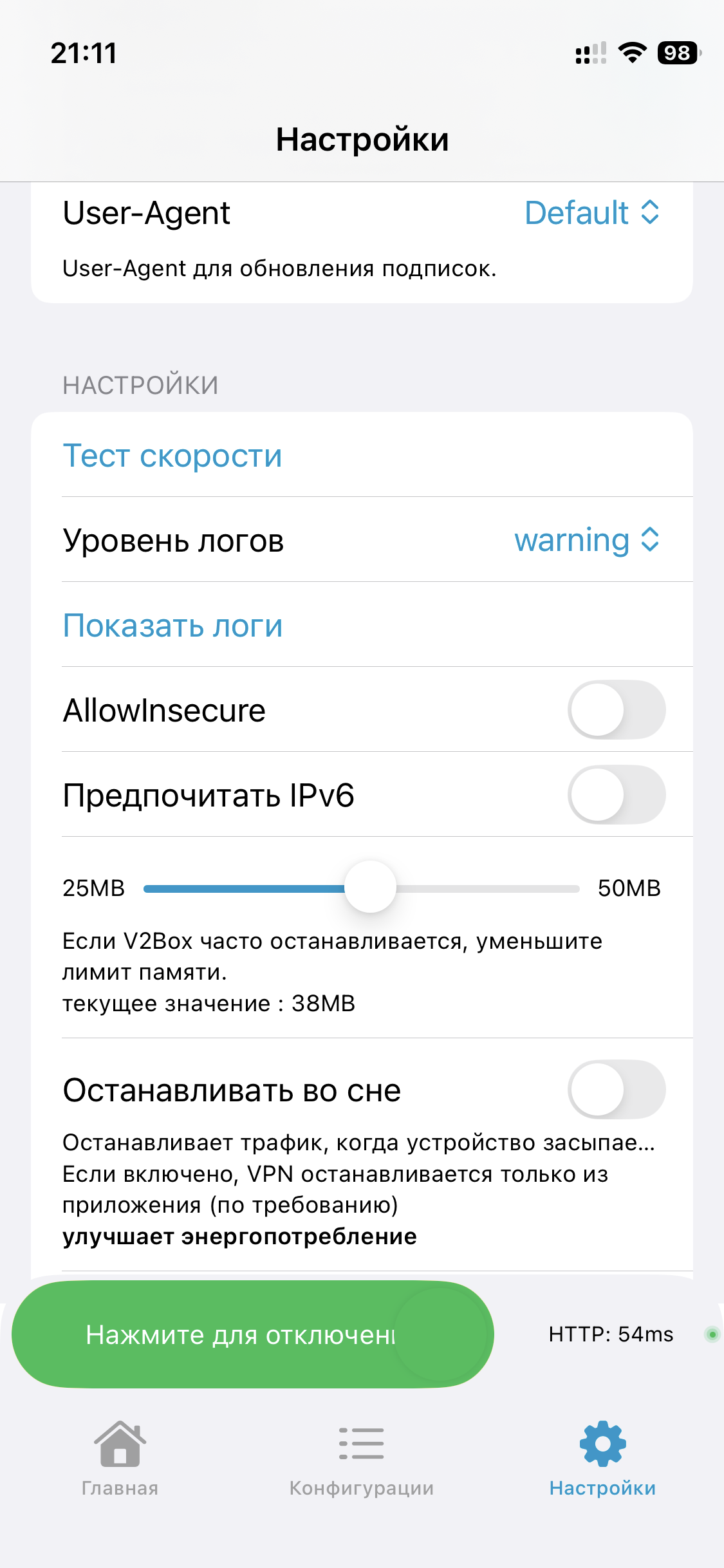
  5. In Settings, keep the baseline options as shown in the screenshot, then reconnect.
Current Svoboda Digital bot menu
Step 1. In the bot, first choose the in-Russia or outside-Russia path, then the matching access option.
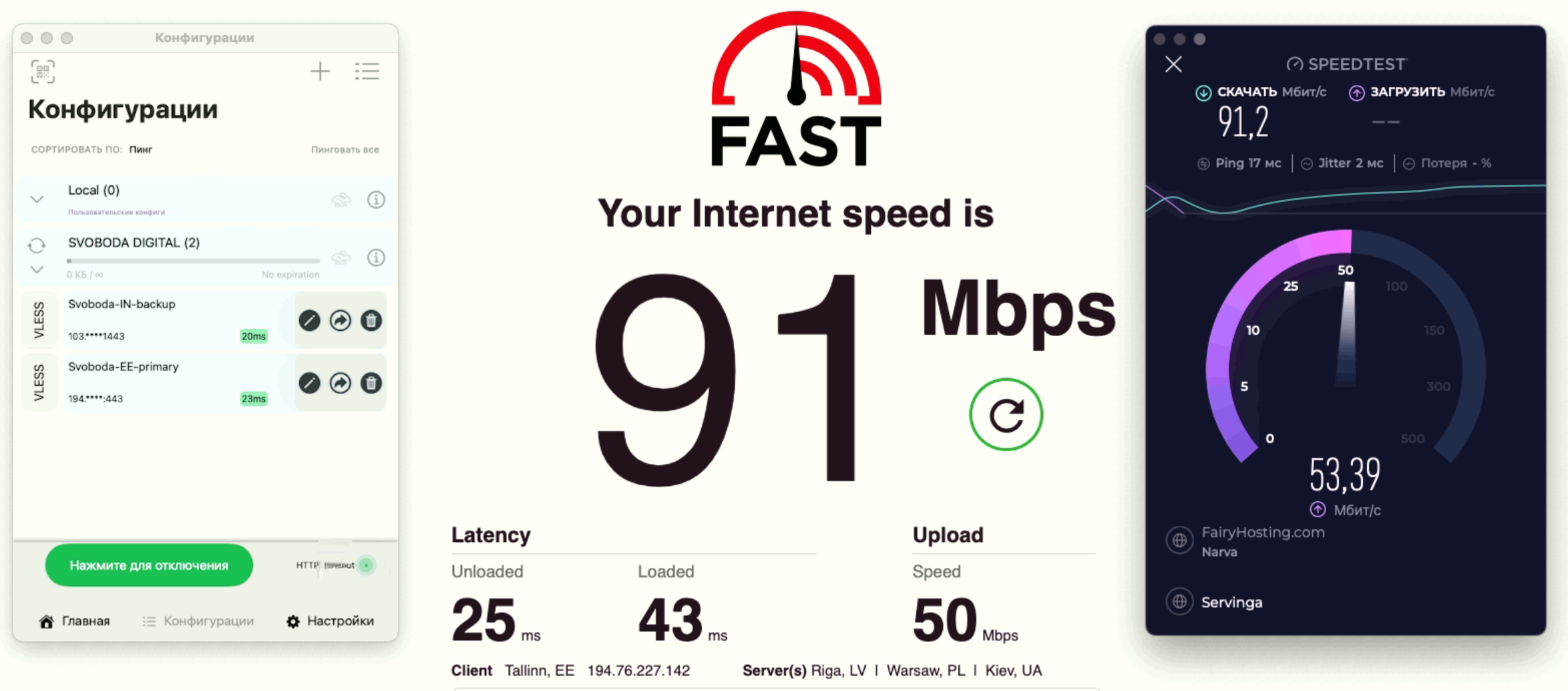
Configs screen with Svoboda nodes
Step 2. In Configs, confirm that the Svoboda-EE and Svoboda-IN nodes have been imported.
Home screen with Auto select fastest server
Step 3. Enable Auto select fastest server and launch the connection with Tap To Connect.
V2Box Settings screen
Step 4. Check the baseline Settings and avoid enabling extra options unless you really need them.
Screenshots of imported configs and speed checks after connecting to Svoboda
After connecting, verify that the configs imported correctly and that the speed matches your line.

Alternative clients

If you do not want to use V2Box, you can still import the access URL into other clients.

  • Android: v2rayNG, Hiddify
  • Windows: v2rayN, Hiddify
  • iPhone / iPad: V2Box, Streisand, Shadowrocket
  • macOS: V2Box, Hiddify
Overview

Why you may need Svoboda

A short video about why Svoboda matters, how to get connected quickly, and why the service is built around privacy and safety.