
Svoboda Digital
Svoboda clients

Svoboda for every device you use

Six clients are collected on one page. Android is now available in Google Play, with the signed APK retained as a fallback. iPhone and Mac are available through the public TestFlight beta, Mac also has a signed direct download, Windows installs from Microsoft Store, and Linux has direct builds.

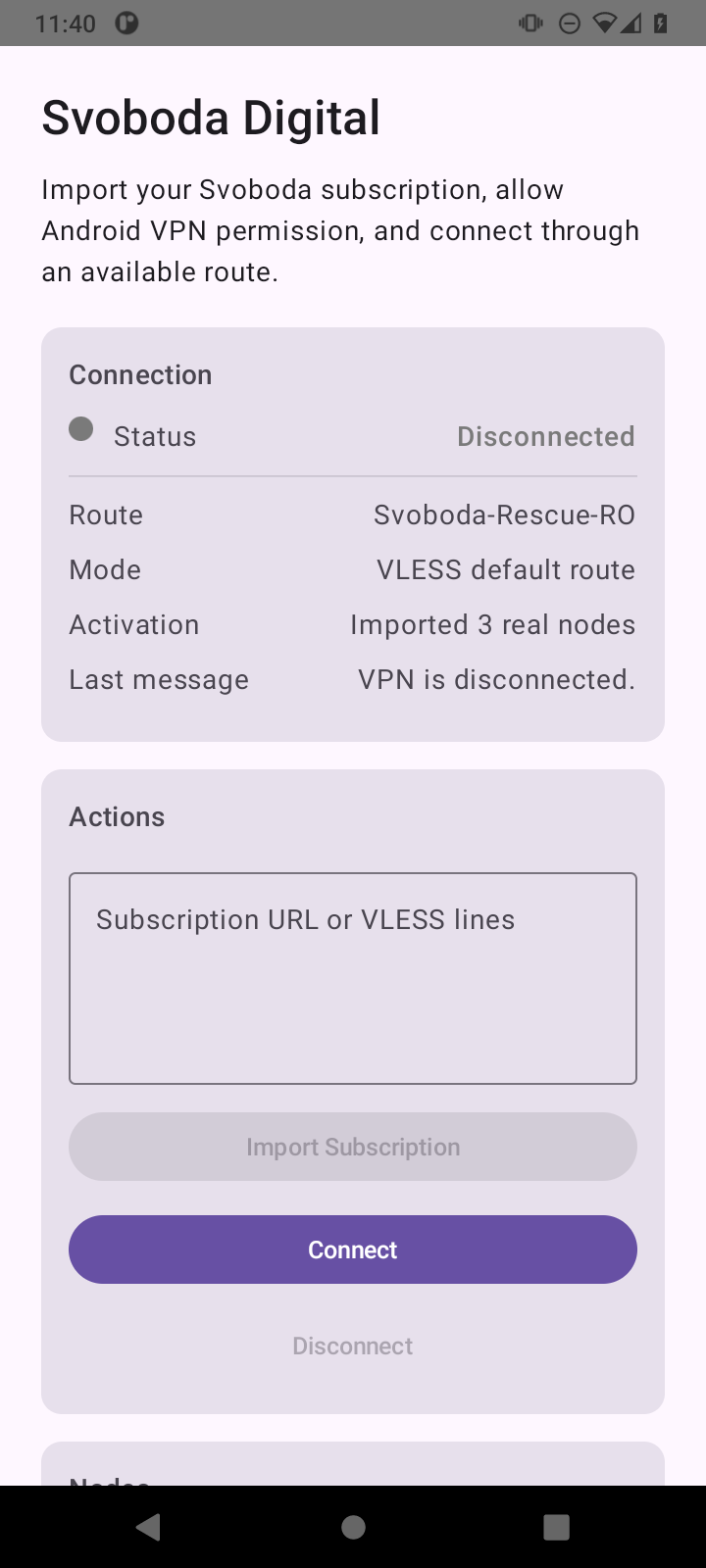
Svoboda Android app screen with subscription import and Connect button

For this device

Choose your device below

All six clients and every working installation path are collected on one page.

iPhone / iPad

Svoboda for iPhone and iPad

The public link opens Svoboda in TestFlight and offers TestFlight installation first when needed. The current build is already in Testing.

TestFlight available iOS / iPadOS App Store: awaiting organization
Mac

Svoboda Direct

The most direct Mac path: one universal ZIP for Intel and Apple Silicon containing a Developer ID signed and Apple-notarized app. Runs on macOS 12 and newer.

ZIP available Intel + Apple Silicon macOS 12+
Mac App Store beta

Svoboda for Mac through TestFlight

The Mac App Store build is already available to external testers through the same public TestFlight link. TestFlight for Mac requires macOS 13 or newer.

TestFlight available macOS 13+ App Store: not published
Linux

Svoboda for Linux beta

The public beta includes a system TUN and signed route manifests. Download the archive for your architecture; setup notes and dependencies are included.

1.0.0 beta 5 x86_64 + ARM64
1. Install the client

On Android, open Google Play; if it is unavailable, use the signed APK from this site. On Windows, open Microsoft Store. On iPhone, iPad, and Mac, use the public TestFlight link; Mac also has a signed direct download and Linux has direct builds.

2. Open your account

Create a pseudonymous personal account without a phone number or email. Pay there by card, TON, or USDT on TON. The Telegram bot remains an alternative for Stars and existing subscriptions.

3. Send access to the app

In an updated client, open Access and Support, sign in to the account, and choose Open in app. Until a store update reaches the device, the subscription link can still be imported manually. If traffic does not start, choose another route.

Russia route

Regular VPN and Russia route in one app

Paid subscriptions include a regular route for Telegram, YouTube, news, and international sites, plus a separate Russia route for government services, personal accounts, work portals, and sites that restrict foreign IP addresses.

What truly matters: we do not collect or store personal data. Russia route replaces the IP address for Russian websites, but it does not promise that marketplace, banking, or bailiff-service apps will always open.

Open setup guide
Windows

v2rayN

A fallback for systems where Microsoft Store installation is unavailable.

Android TV

TV fallback

Option for set-top boxes and shared screens while there is no Svoboda TV client.

iPhone fallback

If TestFlight is unavailable

You can temporarily use a third-party iOS client with personal subscription import.

Important

Do not publish your personal subscription link

APK files and app links can be shared separately. The personal subscription URL is available in the account or bot and belongs to a specific access profile.

Open personal account